
Skip to content
KvibiAI lists
Get Kvibi before everyone else
Join the beta: all features free for 30 days.
Join the beta
Beta · iPhone & Android

AI list app for your day, plans and errandsLists that write themselves.

Plan your day, note down errands, collect places to go or set goals. Type a messy note, say it out loud or snap a photo, and Kvibi’s AI turns it into a clean list in seconds. No account, works offline.

  • Works offline
  • No account
  • Your lists stay on your phone
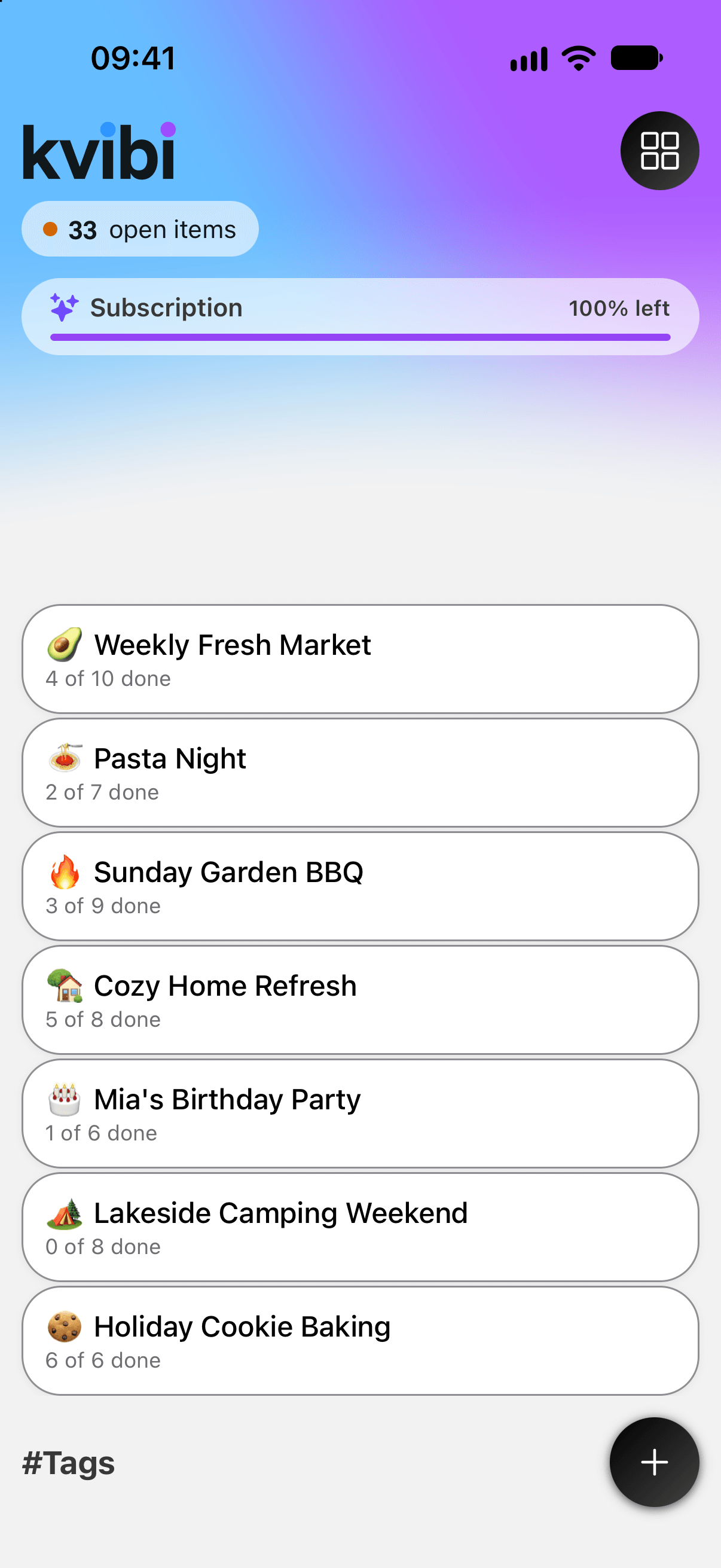
Kvibi Lists screen with two lists
How it works

Type it. Say it. Snap it.

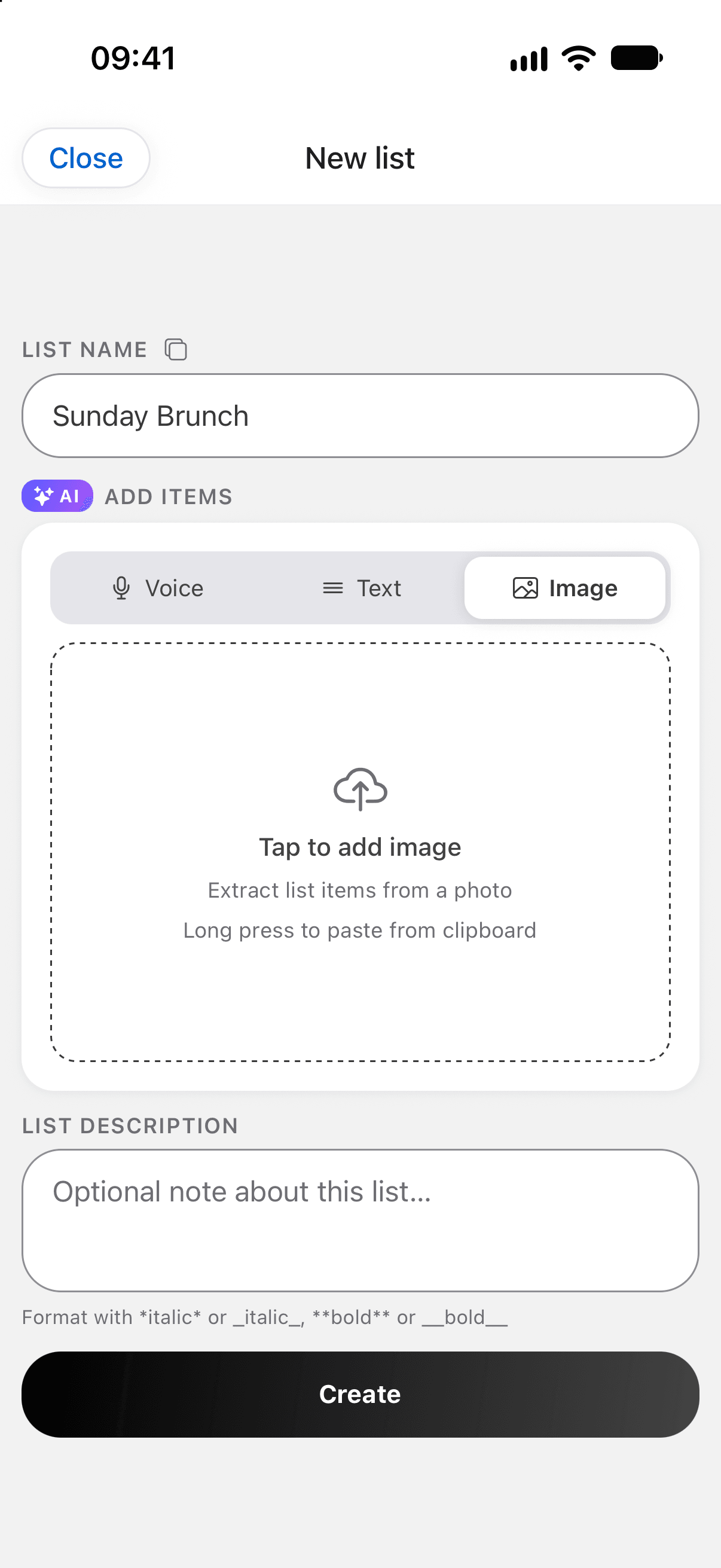
Paste a recipe, dictate a plan on the go or photograph a handwritten note. Kvibi splits it into clean items and keeps details like “10 am” or “500 g”. You check everything before saving.
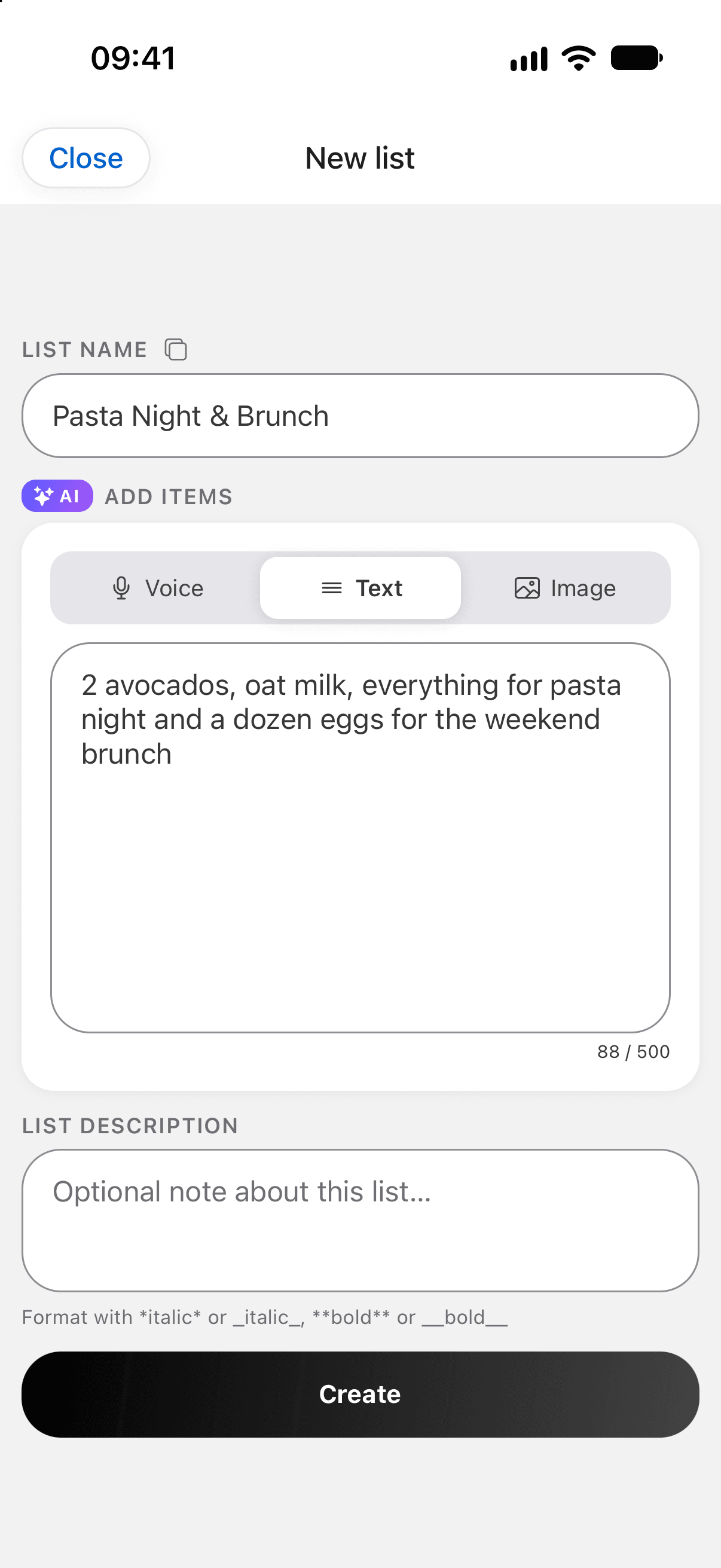
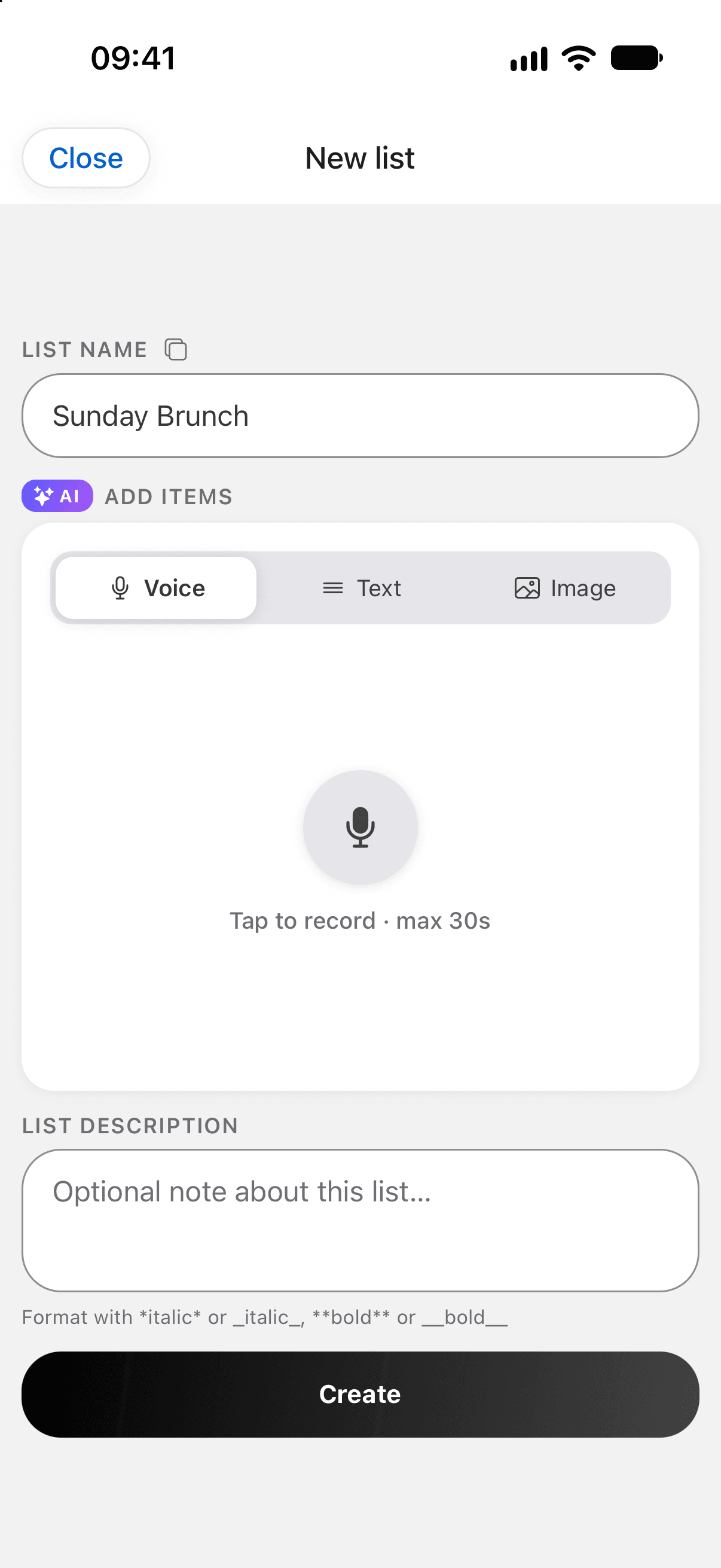
Dinner on Friday: book a table, buy 2 bottles of wine, invite Anna and Max, pick a playlist
New listAI · 4 items

Simple, private and yours

Saved on this device

Works with no signal

No signal on the train or up in the mountains? Kvibi keeps working. Your lists are saved on your device.
No sign-up

Start in seconds, no sign-up

Open the app and start writing. No sign-up, no email address, no password to forget.
kvibi.com/s/7KQ2MX

Send a list to anyone

Send a link and anyone can open the list in any browser, no app needed, or save a copy to their own Kvibi. Links expire after 7 days.
Backed up to iCloud

Never lose a list

On iPhone, your lists are backed up to your iCloud and come back when you install Kvibi on a new phone.
#Market #Weekend #Party

Everything for Saturday, in one tap

Tag anything and see everything with the same tag in one place, across all your lists.
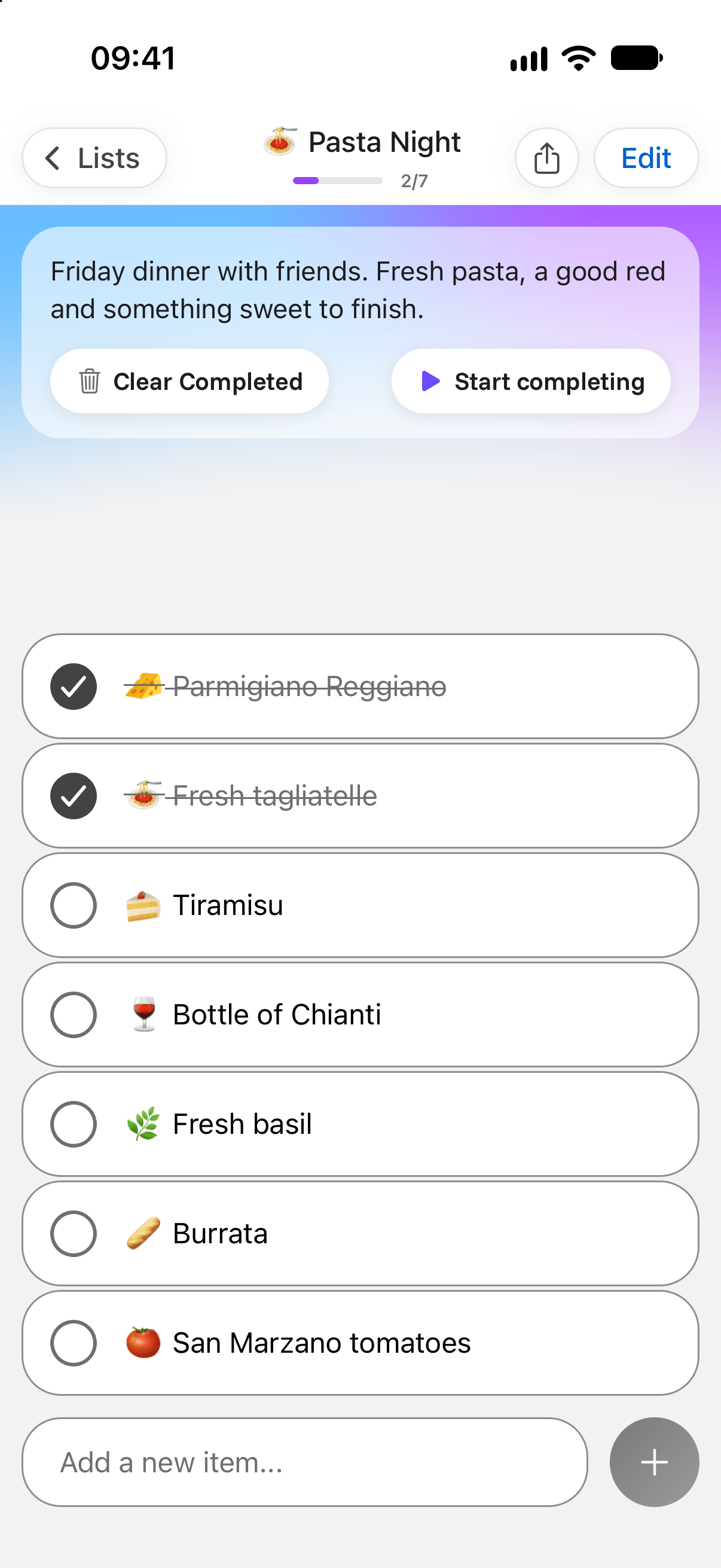
An open Kvibi list with checked items

Add things the moment you think of them

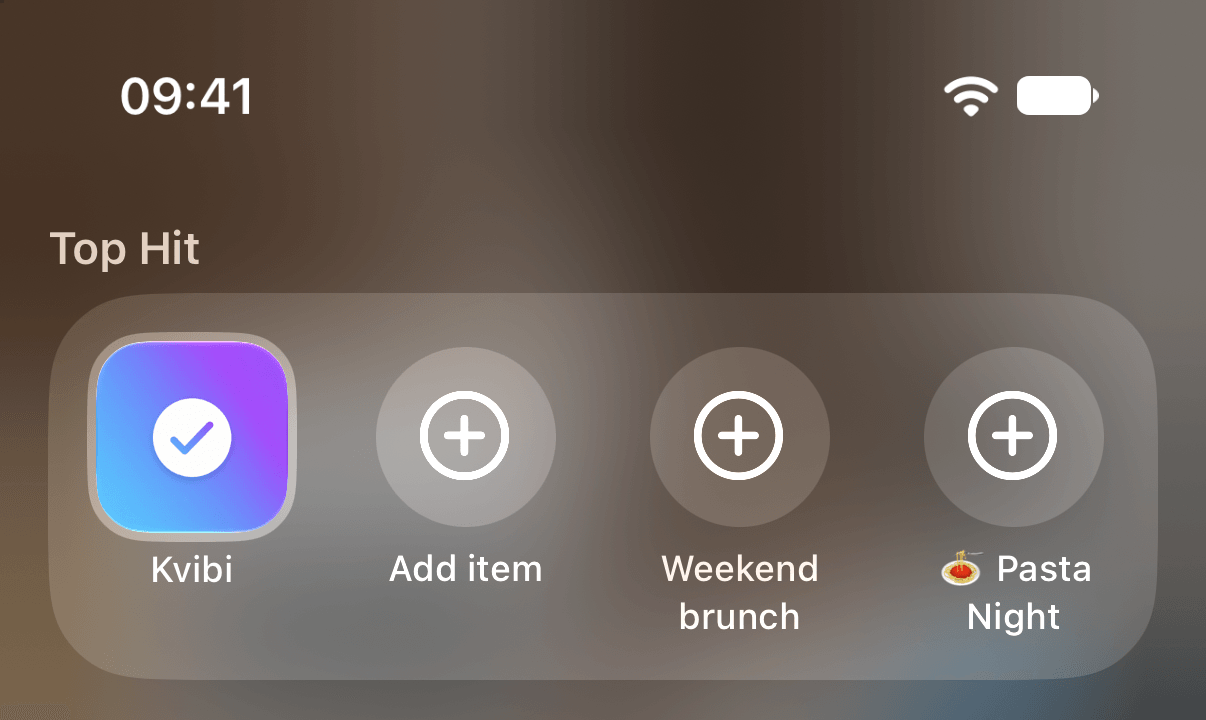
Widgets, Siri, Control Center and the Lock Screen: add to a list without ever opening the app.

iPhone & Android

Home Screen widget

Tap the mic and just start talking, or tap + and type. Your next list is one tap from the Home Screen.
iPhone

Lock Screen & Control Center

Start a voice list from the Lock Screen, Control Center or by pressing and holding the app icon — no searching for the app.
iPhone · Siri

Siri & Shortcuts

Ask Siri to add something to a list, read out what’s still open, or start a new one. Also in Shortcuts and Spotlight.
Share → Kvibi

From any app

A screenshot of a recipe, a packing list or a to-do? Share it to Kvibi and AI turns it into a list.
Stories · chats

Share a list as a picture

Turn any list into a clean card with a QR code and send it to a chat or post it to your stories.

Free forever. AI when you want it.

Lists, tags, sharing, widgets and offline mode are always free. Try AI free for the first 30 days, then keep it with Kvibi AI Boosted.

Free

Everything except AI, forever.
  • Lists, tags and sharing
  • Widgets and quick add
  • Works offline, no account
  • AI free for the first 30 days

Kvibi AI Boosted

30-day AI trial
Turn any note, voice memo or photo into a list.
  • AI from text, photos and voice
  • Covers everyday use
  • Lists work offline, no account
  • Monthly or yearly

Prices are shown in the App Store and Google Play. Cancel any time in your store settings.

Get Kvibi before everyone else

Be one of the first to try Kvibi on iPhone and Android. Beta testers get all features free for 30 days. Tell us what works and what doesn’t. We read every reply.

Your phone

Your lists, one glance away

A Live Activity shows what’s left on your Lock Screen and lets you tick items off without unlocking. Widgets and Control Center keep your next list one tap away.
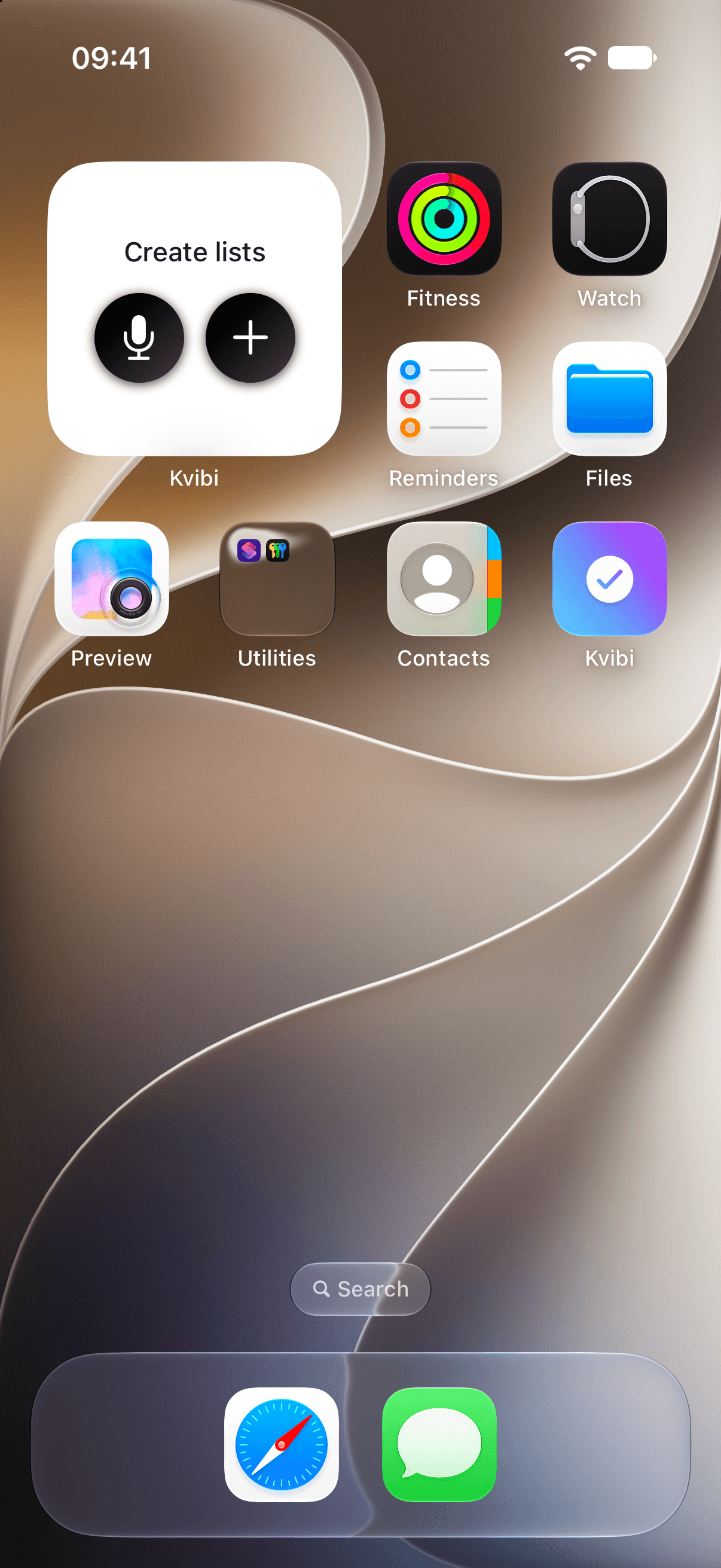
Kvibi widget on the iPhone Home Screen

A widget for a new list

Tap the microphone on your Home Screen and just say what you need. Your list is ready before you take a step.
Kvibi control in iPhone Control Center

One swipe in Control Center

Add an item or start a voice list from Control Center or the Action button, from any app.
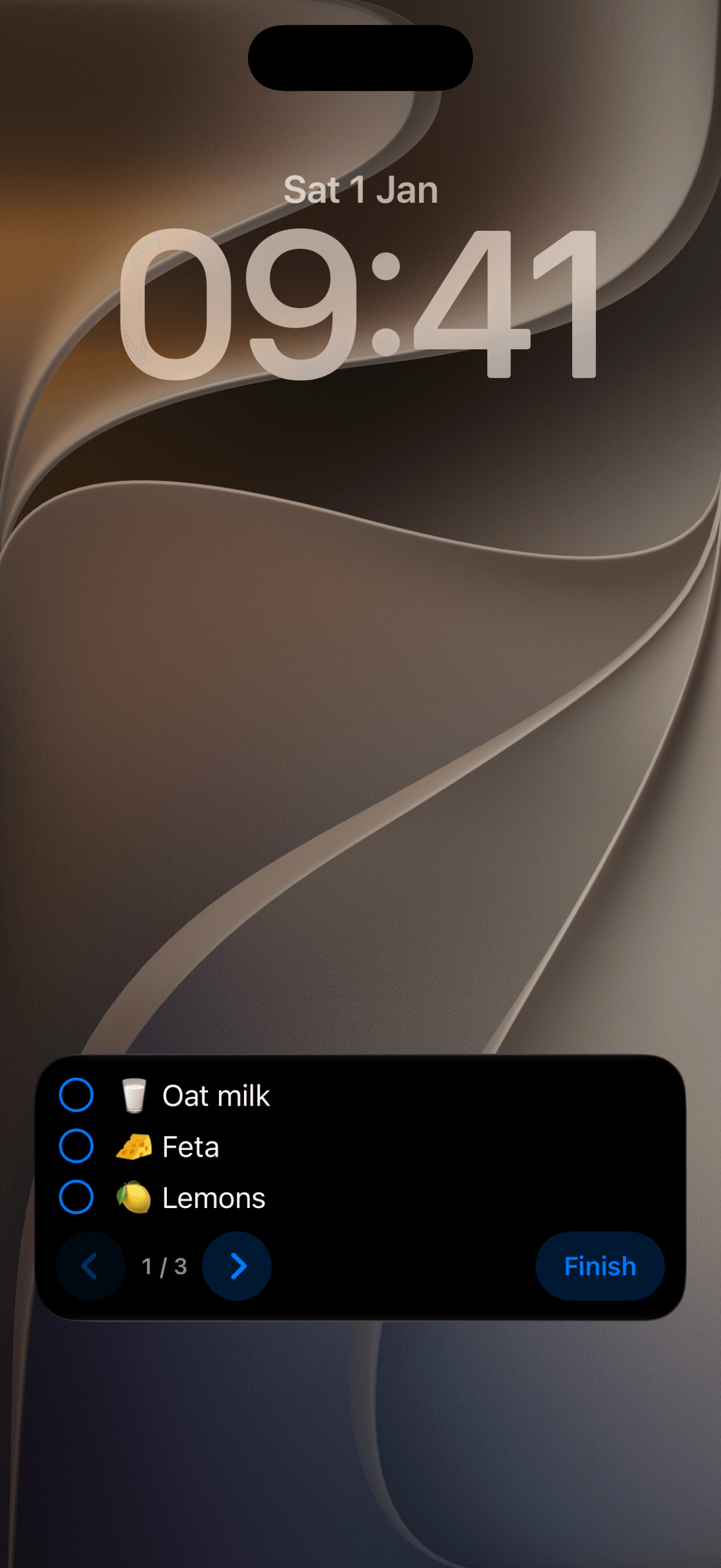
Kvibi Live Activity with a list on the iPhone Lock Screen

Your list on the Lock Screen

See what is left and tick items off without unlocking your phone. Your hands stay free, nothing gets forgotten.
Kvibi quick actions on iPhone: add an item or open a list

Just say it to Siri

Add an item, hear what is left or open a list with your voice, from Siri, Shortcuts or Spotlight, without opening the app.

Be first in line when Kvibi launches

Launching soon on iPhone and Android. Join the beta now and try every feature free for 30 days.